What Does ChatGPT Say About Your Brand? How to Check and Fix It
Ask five kinds of questions, in a clean session with web search on, and write down who is named, what is said about you and which pages are cited. Then trace each problem back to the source the assistant read and fix it there.
Searvia · 10/27/2026 · 3 min read
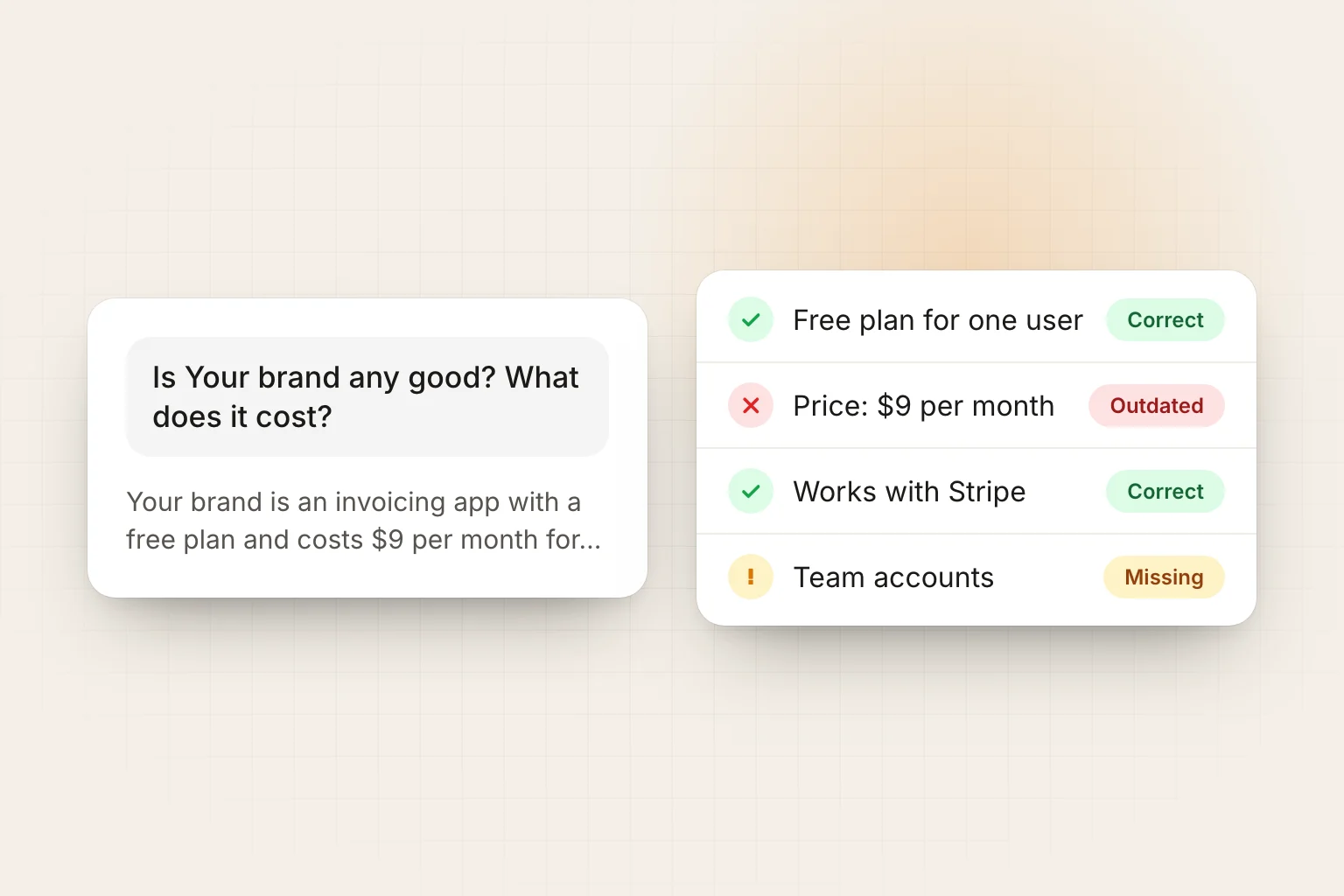
Customers now ask AI assistants which product to buy, and the answer names a few brands. If you have never checked what ChatGPT says about yours, it takes about twenty minutes to find out, and the fixes usually sit on pages you can change.
Set up a clean check
Your own chat history and memory change the answers you see. Before you start:
- Use a temporary chat or a logged-out session.
- Make sure web search is on, the way most people use these assistants for buying questions.
- Ask in the language and country your customers use. An answer in Turkish for Turkey can name entirely different brands from one in English.
- Repeat the same questions in Gemini, Perplexity and Claude. They read different sources.
Ask five kinds of questions
| Question type | Example | What it tells you |
|---|---|---|
| Category | "What is the best invoicing app for freelancers?" | Whether you are in the shortlist at all |
| Comparison | "Your brand vs Competitor: which is better for small teams?" | How you are positioned against a named rival |
| Alternatives | "What are the best alternatives to Competitor?" | Whether you are seen as part of the category |
| Brand | "Is Your brand any good? What does it cost?" | Which facts the assistant believes about you |
| Problem | "How do I send invoices automatically to clients?" | Whether you are named when people describe the need, not the category |
Write down four things for each answer
- Mentioned or not, and the position if the answer lists several options.
- What is said about you: price, features, audience, tone. Mark each claim correct, outdated or wrong.
- Who is named instead when you are missing.
- Which pages are cited. These are the sources the answer was built from, and the place where most fixes happen.
Fix what you find
You are not mentioned at all. Check whether AI search crawlers can read your site. OpenAI's search crawler is OAI-SearchBot, separate from GPTBot, which is used for training; a CDN bot setting often blocks both. Then look at the cited pages: if they are comparison lists or reviews that do not include you, earning a place there is the fastest route. The free AI search readiness checker tests crawler access in a minute.
The facts are outdated or wrong. There is no form to edit what an assistant says. Trace the claim to the cited page. If it is your own page, update it and state the current fact in the first lines. If it is a third-party page, ask the author to correct it, and make sure your own pricing and product pages say the right thing clearly enough to be quoted instead.
A competitor is recommended instead. Compare where they appear and you do not: list articles, review platforms, forums, YouTube. Assistants name brands they see repeatedly across sources. In our study of 30 buying questions asked to Claude in Turkey, 100 of the 110 cited pages were not the recommended brands' own sites.
You are described in the wrong category. Make the same one-line description of what you do appear on your home page, in your structured data, and on every profile and directory listing. Inconsistent descriptions produce inconsistent answers.
The tone is negative. Read the cited reviews and forum threads. Reply to real complaints where they were posted and fix the underlying issue; the next crawl reads the reply too.
Make it a routine
One check is a snapshot; answers change from run to run and week to week. Keep a fixed list of 10 to 30 questions, ask them on a schedule and track the share of answers that mention you, cite you and recommend you over each competitor. The AI visibility tracking guide explains the formulas.
Searvia does this every week in ChatGPT, Perplexity, Gemini and Claude, stores every answer and cited page, and shows where an assistant read your page but quoted someone else. Run one question now with the free AI visibility checker, or see how the AI visibility tracker works.
Frequently Asked Questions
- How do I see what ChatGPT says about my company?
- Open a temporary or logged-out chat with web search on and ask five kinds of questions: the category question, a comparison, an alternatives question, a direct question about your brand and a problem question. Note who is named, what is said about you and which pages are linked. Repeat in Gemini, Perplexity and Claude.
- ChatGPT says something wrong about my business. Can I ask OpenAI to change it?
- There is no form to edit what a model says about a brand. Answers with web search are built from the pages it reads, so fix the facts at the source: your own site, your profiles and directories, review platforms and the third-party articles that are cited. Answers change as those pages change and are fetched again.
- Why does ChatGPT recommend my competitor and not me?
- Usually because the competitor appears on more of the pages that rank for that question: comparison lists, reviews, forums. Check which pages the answer cites; if you are missing from them, that is the gap to close.
- How often should I check?
- Answers vary from run to run, so a one-off check is a snapshot. Ask the same set of questions every week or two and compare rates over time.